
Loading SaaS profile...
Loading SaaS profile...
Visual distraction-free editor highlighting complex sentences, adverbs, and passive voice.
Highlights complex or hard-to-read sentences using color-coded visual overlays in real time. Identifies adverbs, passive voice constructions, and overly complex word choices. Calculates real-time readability grade levels to ensure accessible communication standards. Provides AI-powered suggestions to rewrite, shorten, or rephrase flagged text directly.
Color-coded visual feedback makes editing self-explanatory without requiring formal grammar training. Distraction-free interface allows users to seamlessly switch between writing and editing modes. Free browser-based version drives massive product-led user acquisition and organic word-of-mouth. One-time desktop app purchase model offers offline writing capability for privacy-conscious users.
Category: Productivity
Team Size: 2-10
Visit Website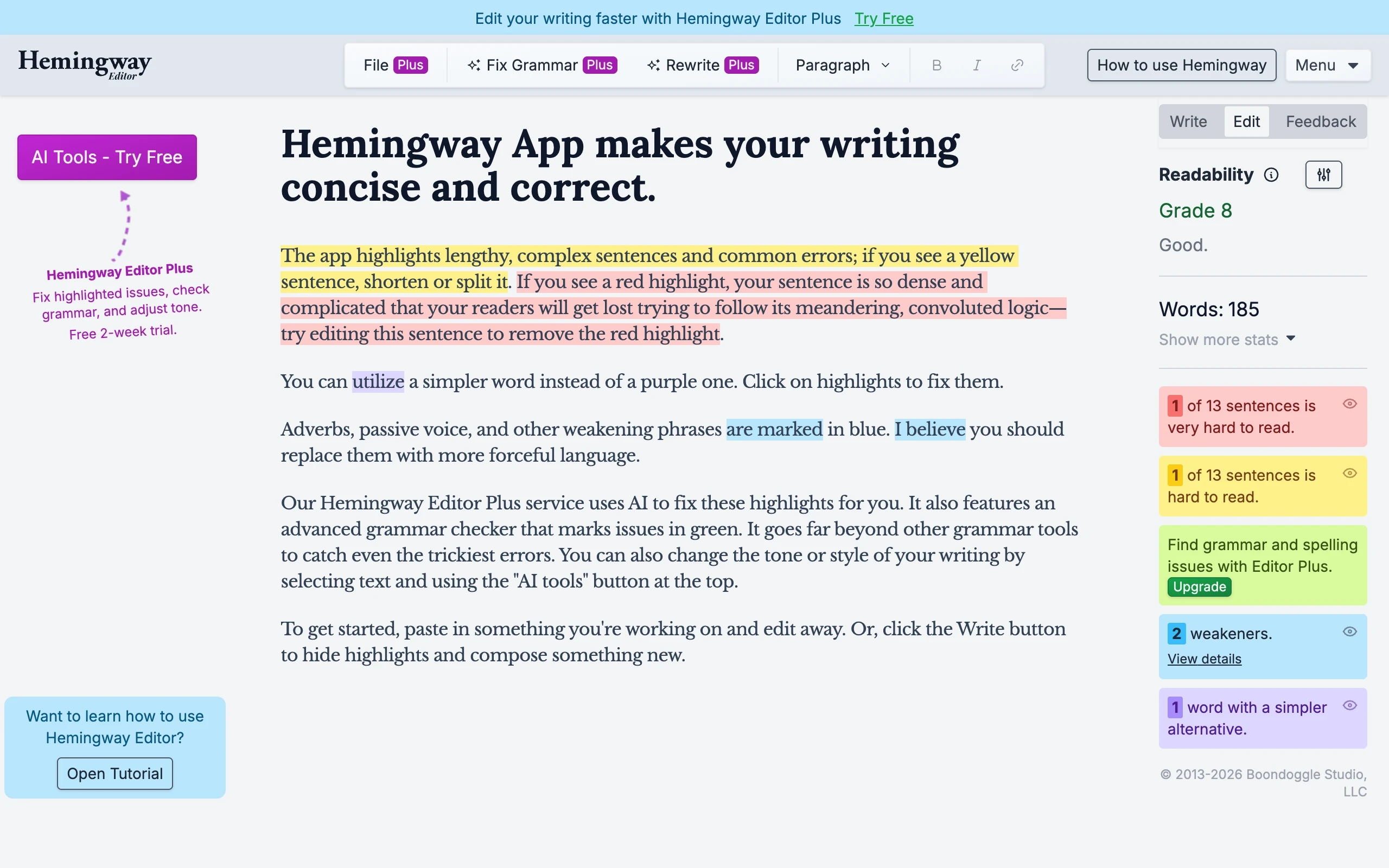
Hemingway Editor is a distraction-free writing and editing tool designed to make prose clear and concise. The application automatically evaluates text for readability, highlighting complex sentences, excessive adverbs, passive voice, and difficult phrasing using color-coded feedback. Available as a web editor, desktop application, and AI-assisted platform, Hemingway helps content creators, marketers, and journalists refine draft clarity. By simplifying sentence structure, it ensures written content remains accessible to broad audiences.
Hemingway Editor was created in 2013 by brothers Adam and Ben Long in New York City. Working in marketing and copywriting, they realized that applying concise journalism rules—inspired by Ernest Hemingway's early news reporting days—dramatically improved writing clarity. They built a simple prototype that color-coded complex prose, which went viral overnight after launching online.